
Glossary System Add-on for Larapen
Build a searchable glossary of terms and definitions. Boost SEO with keyword-rich pages and establish your site as an authoritative knowledge resource.
Important: this is not a standalone application. It is an add-on for Larapen, which must be purchased and installed first.
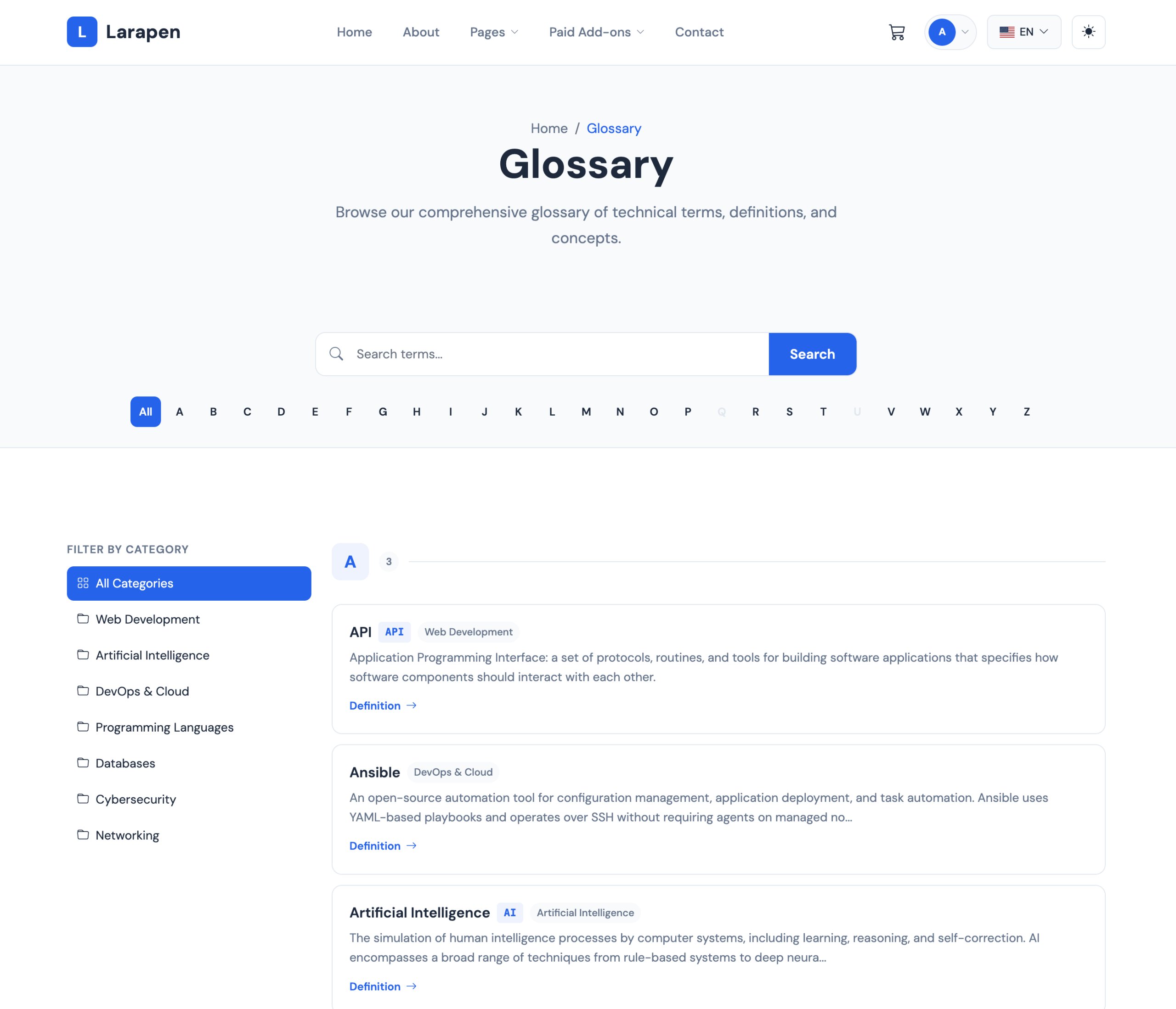
The Glossary add-on lets you build a comprehensive terminology reference directly on your Larapen website. Each term gets its own dedicated page with a rich definition, making it a powerful SEO asset. Search engines love well-structured, keyword-rich content, and a glossary provides exactly that. Over time, your glossary pages attract organic traffic from users searching for industry-specific terms.
Cross-Linked & Discoverable
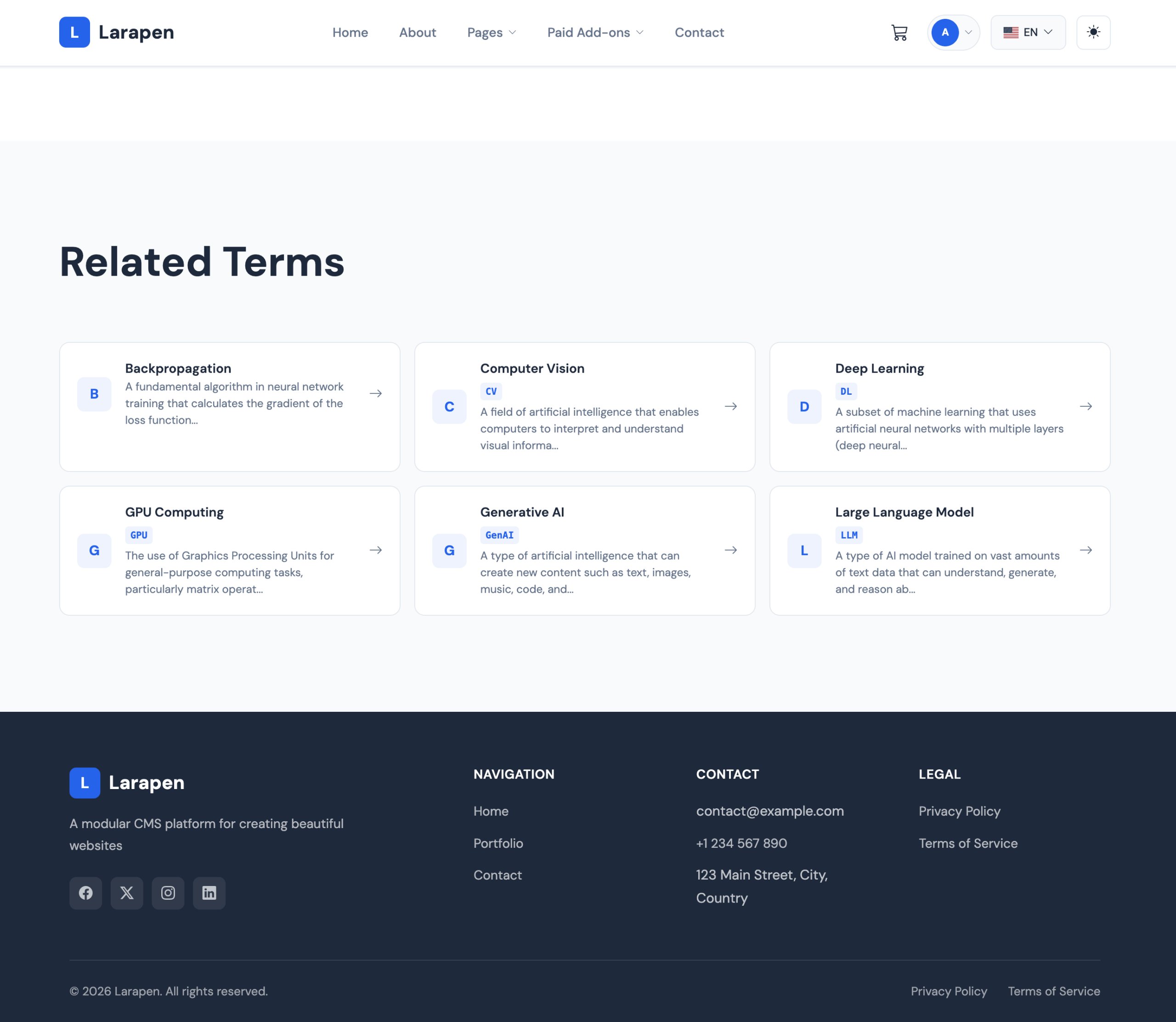
Terms can cross-reference each other, creating an interconnected web of definitions that keeps visitors exploring your site longer. Alphabetical browsing and full-text search make it easy for users to find the term they need. Categories let you group related terms together for structured navigation.
A Glossary Built for Growth
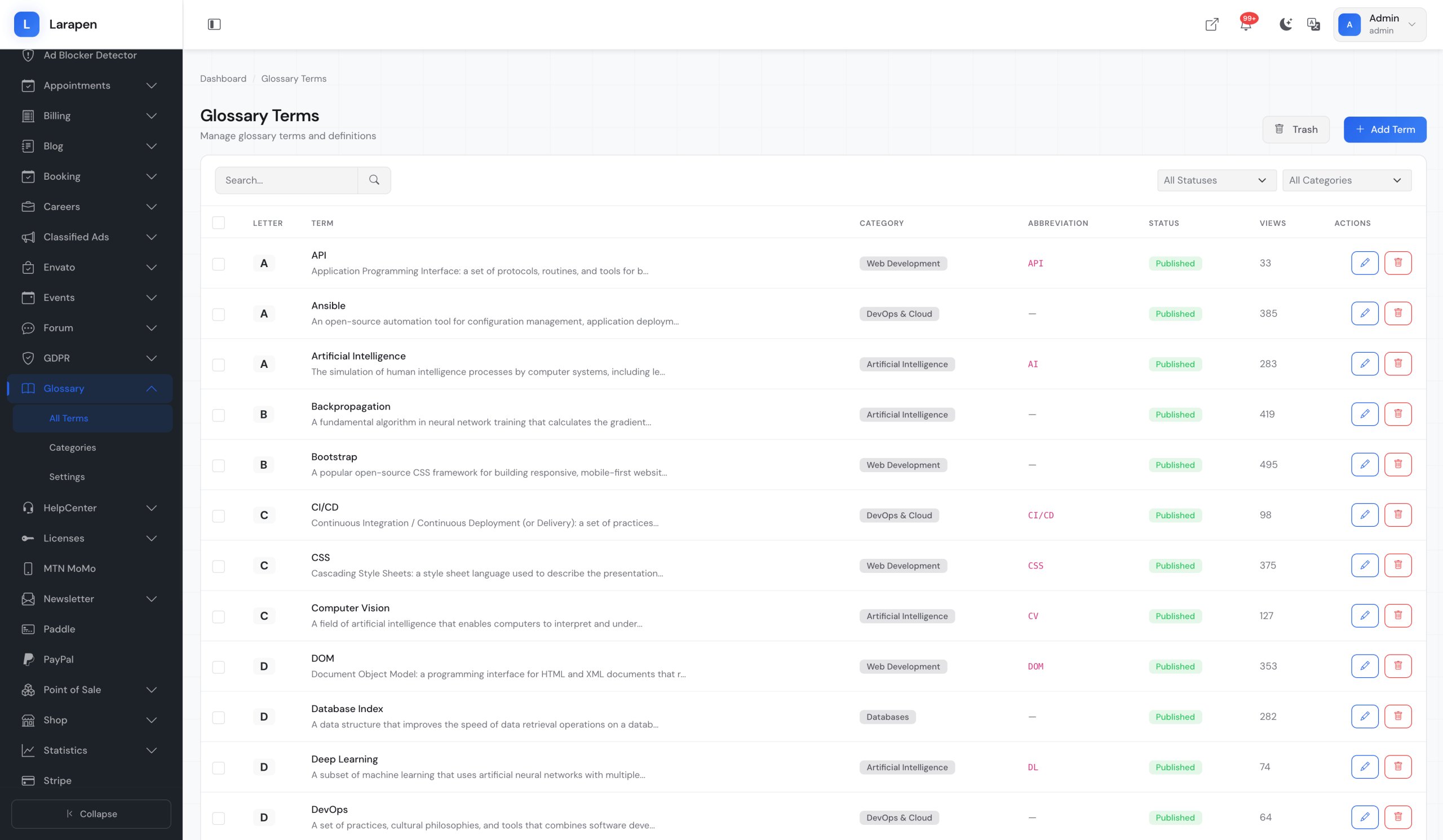
- Term Management: Add terms with rich definitions, examples, and related links. Each term gets a dedicated, SEO-optimized page.
- Alphabetical Index: Browse terms alphabetically with a clean A-Z navigation bar. Users jump directly to the letter they need.
- Full-Text Search: Search across all terms and definitions. Instant results help users find the exact term they are looking for.
- Categories: Group related terms into categories: technical, marketing, legal, financial; for organized browsing.
- SEO Optimized: Each term page includes customizable meta titles, descriptions, and structured data. Built to attract organic search traffic.
- Cross-Links: Link related terms to each other. Visitors discover related concepts naturally, increasing time on site and page views.
Build Your Glossary
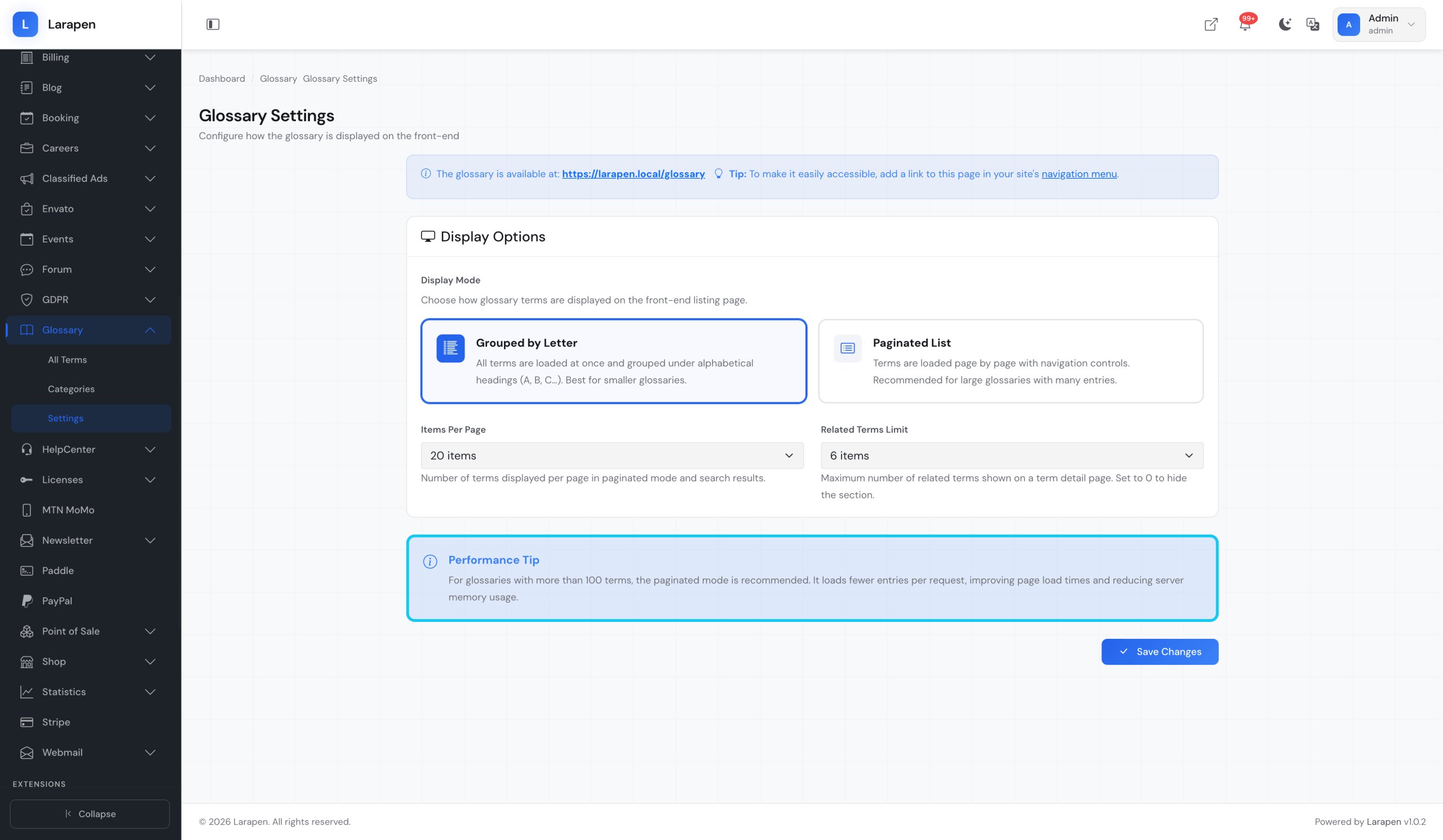
- Install & Activate: Upload the Glossary add-on and activate it from the admin panel. Term tables and routes are created automatically.
- Add Terms: Create terms with rich definitions using the editor. Categorize them and set up cross-references to related terms.
- Watch Traffic Grow: As search engines index your glossary pages, organic traffic increases. Each term page becomes a long-tail keyword magnet.
Demo
- Front: https://larapen.bedigit.com/glossary?demo=glossary
User login:user@domain.tld/passTo123456 - Admin Panel: https://larapen.bedigit.com/admin?demo=glossary
Admin login:admin@domain.tld/passTo123456
Bug Reports
Found a bug? Please report it through our bug report form: https://bedigit.com/support/tickets/new.
This product has no reviews yet.
Write a review
Be the first to share your experience with this product.
Item Support
This item includes 6 months of support from the author. After purchase, contact the author for any help you need with this product.
Get Support
Got Questions?
Frequently Asked Questions About Glossary System Add-on for Larapen
Everything you need to know about Glossary System Add-on for Larapen before you buy.
Each glossary term creates a dedicated, indexable page targeting specific long-tail keywords. These pages build topical authority for your site and attract organic search traffic from users looking up industry terminology. Over time, a well-maintained glossary becomes a significant source of inbound traffic.
Yes. The admin panel includes a CSV import feature. Prepare your terms with columns for name, definition, and category, then import them in bulk. This is useful for migrating an existing glossary or populating a large number of terms quickly.
Yes. Like all Larapen content, glossary terms support full multi-language translations. Term names, definitions, meta data, and categories are all translatable. Each language gets its own URL with proper hreflang tags for international SEO.