

Booking Add-on
Let clients book appointments and schedule services directly from your website. Manage time slots, availability, confirmations, and reminders; all from your Larapen admin panel.
Your Calendar, Always Under Control
The Booking add-on lets your clients schedule appointments directly on your website. Define the services you offer, set available time slots, and let visitors pick the date and time that works for them. Every booking is tracked in a centralized calendar, giving you a clear view of your schedule at a glance.
Automated Confirmations & Reminders
Reduce no-shows with automatic email confirmations and reminders. When a client books an appointment, they receive an instant confirmation. Reminder emails are sent before the appointment to ensure clients show up on time. You can also configure cancellation and rescheduling policies to protect your schedule.
Scheduling Made Simple
All the tools you need to manage appointments professionally.
Service Management
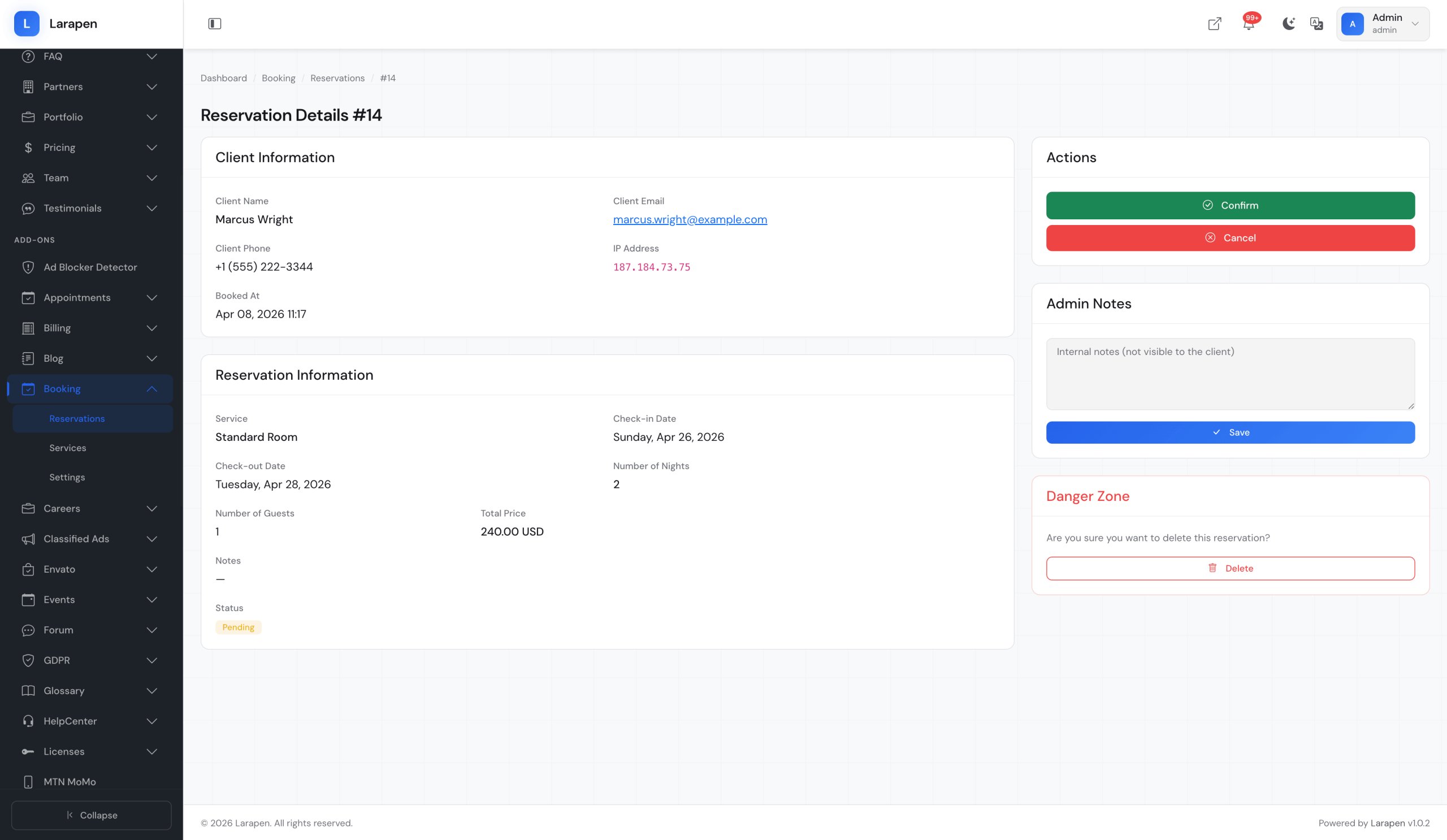
Define the services you offer with descriptions, durations, and pricing. Clients pick their service before selecting a time slot.
Time Slot Configuration
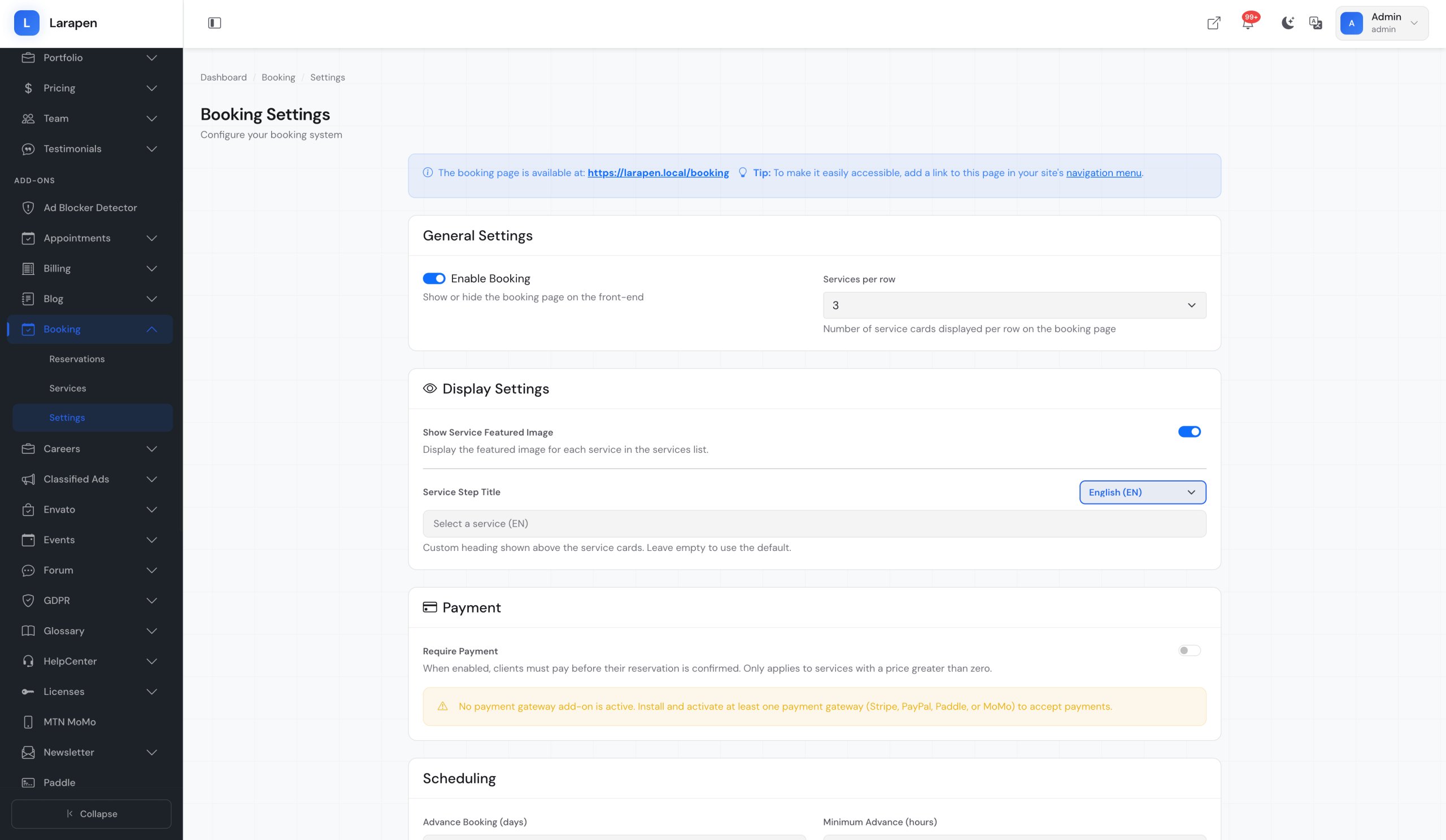
Set your available hours, break times, and booking intervals. Block off holidays and custom unavailable dates.
Calendar Dashboard
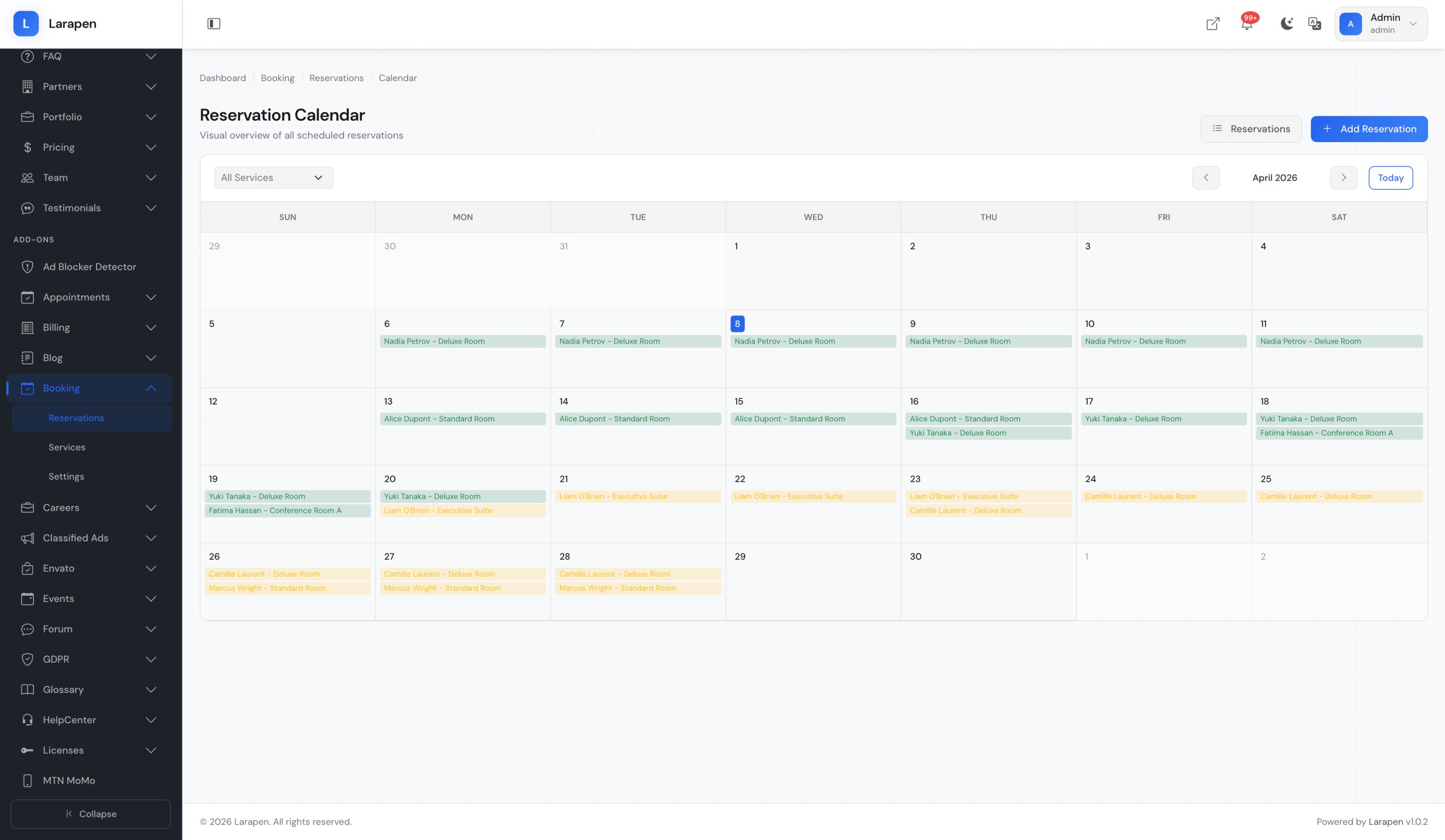
View all bookings in a visual calendar. Switch between day, week, and month views to manage your schedule.
Email Notifications
Automatic confirmation emails on booking, reminders before appointments, and notifications for cancellations.
Availability Rules
Set buffer times between appointments, minimum advance booking periods, and maximum future booking windows.
Booking Confirmations
Choose between instant confirmation or manual approval. Review and approve bookings before they are confirmed.
Screenshots
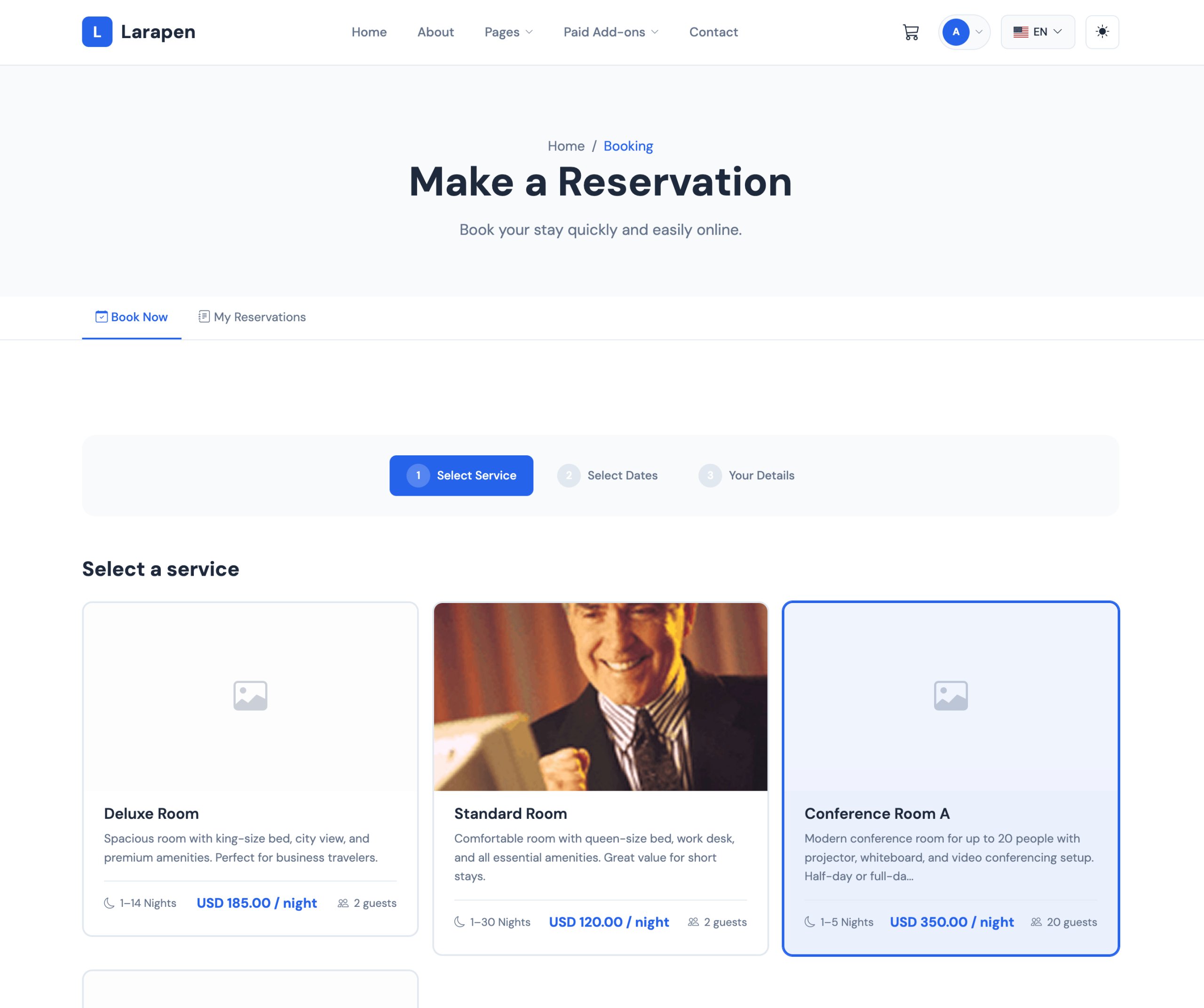
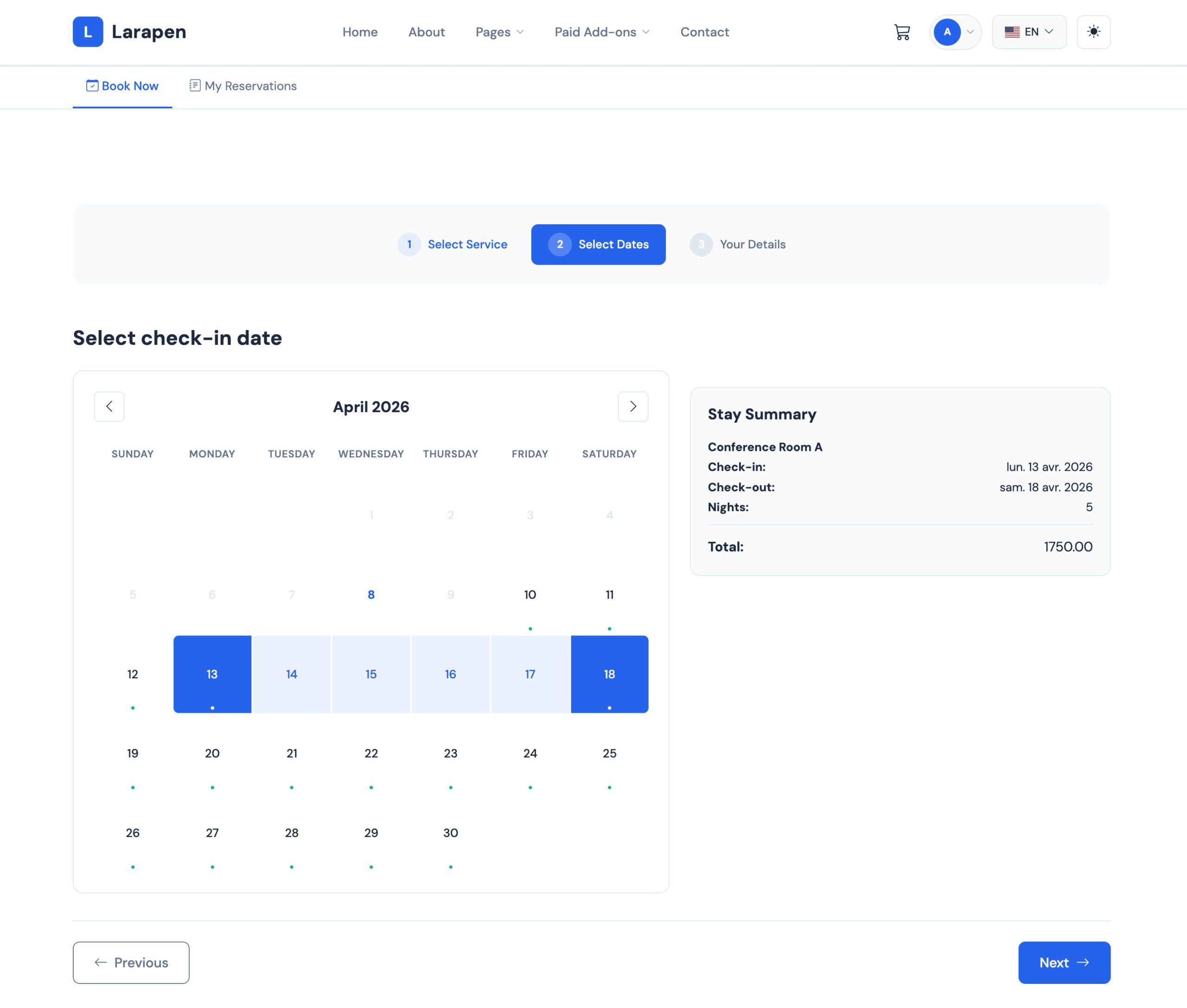
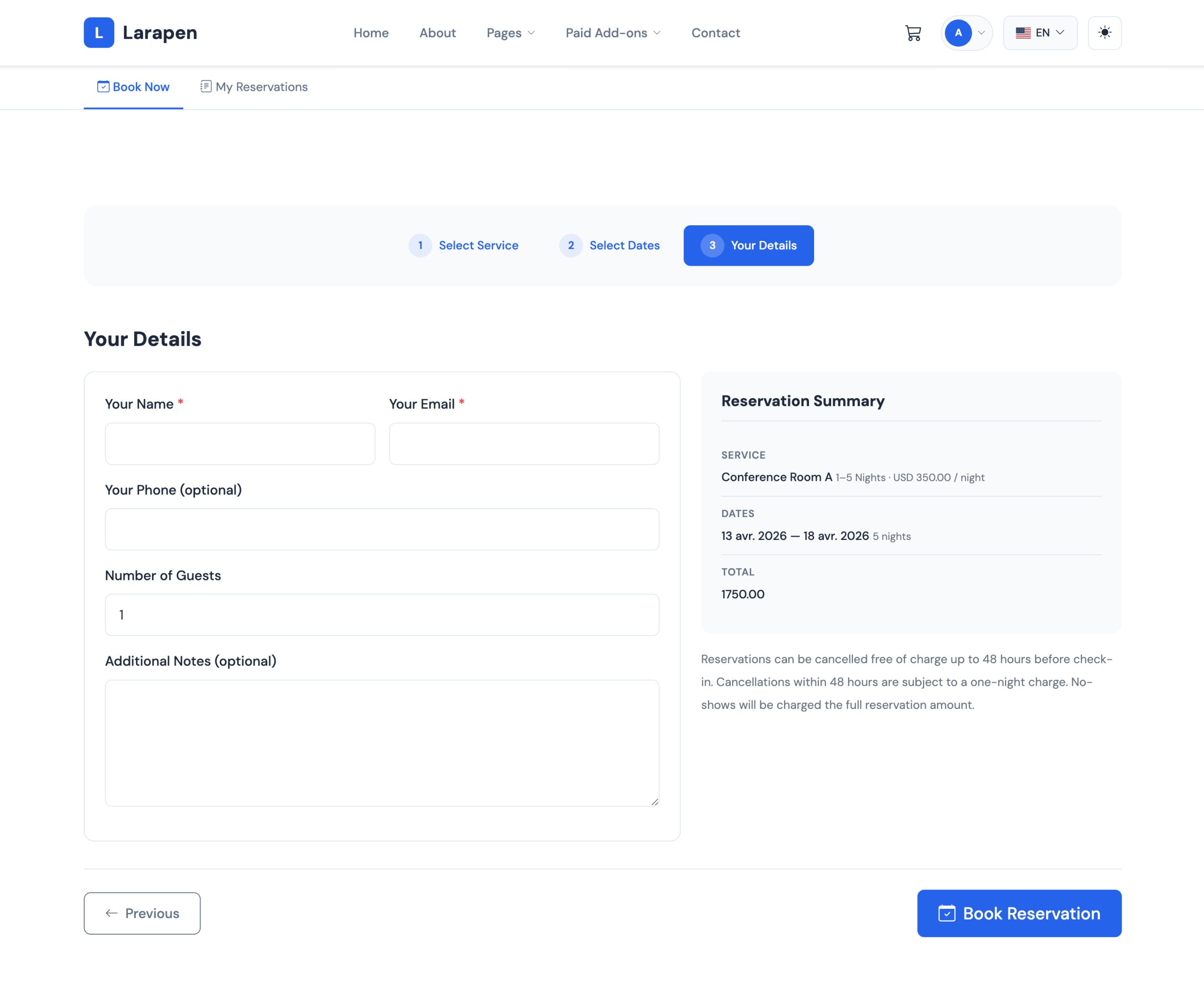
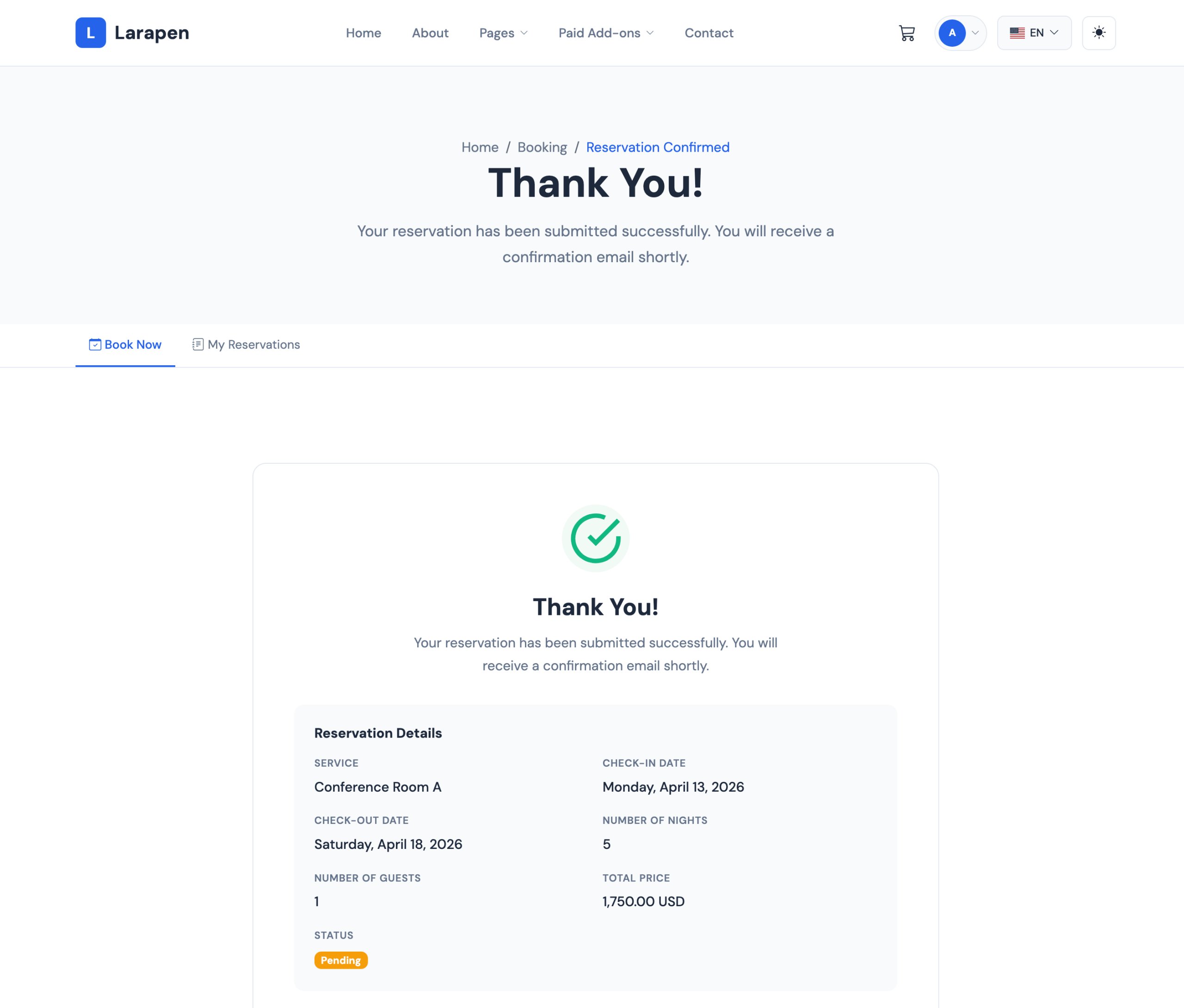
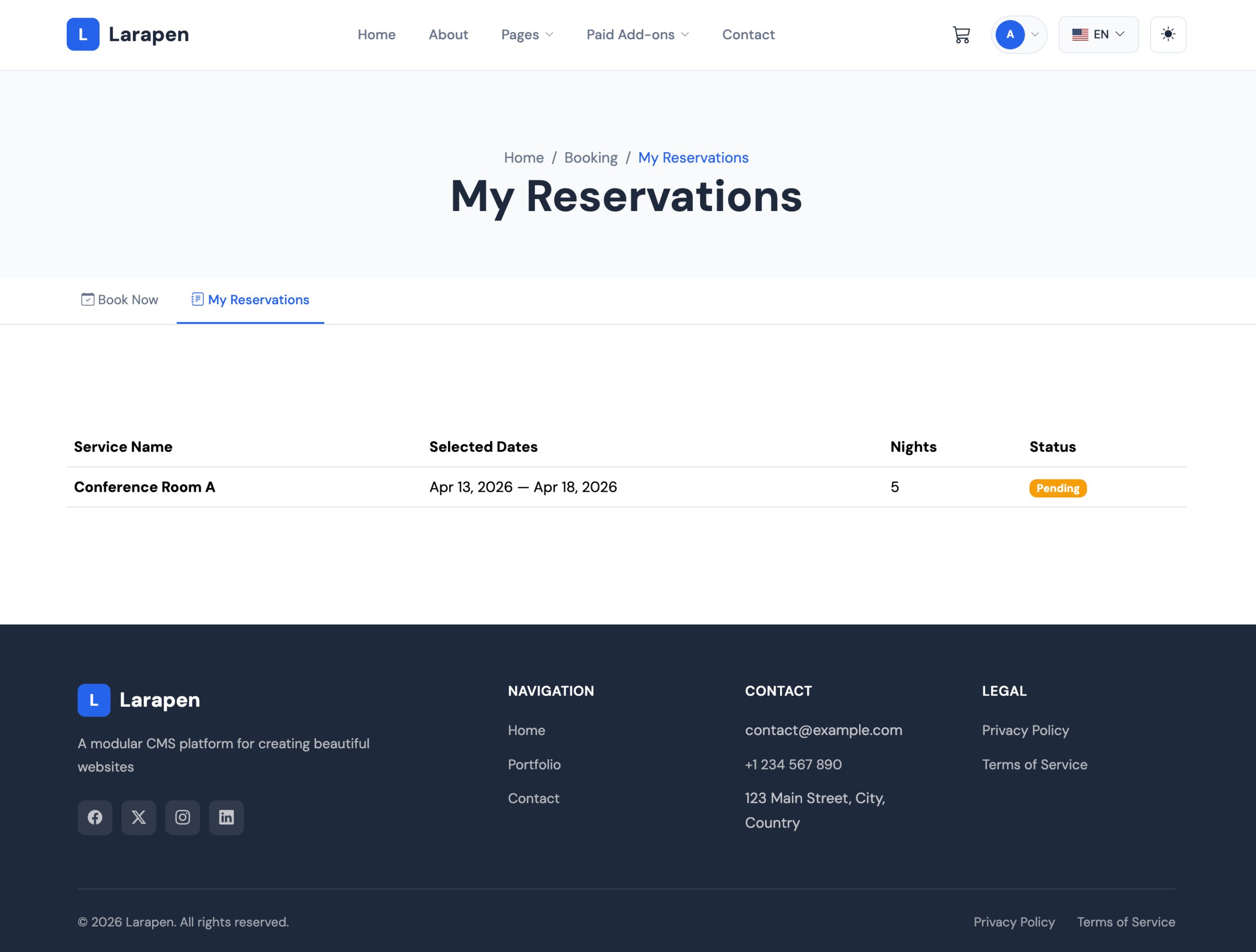
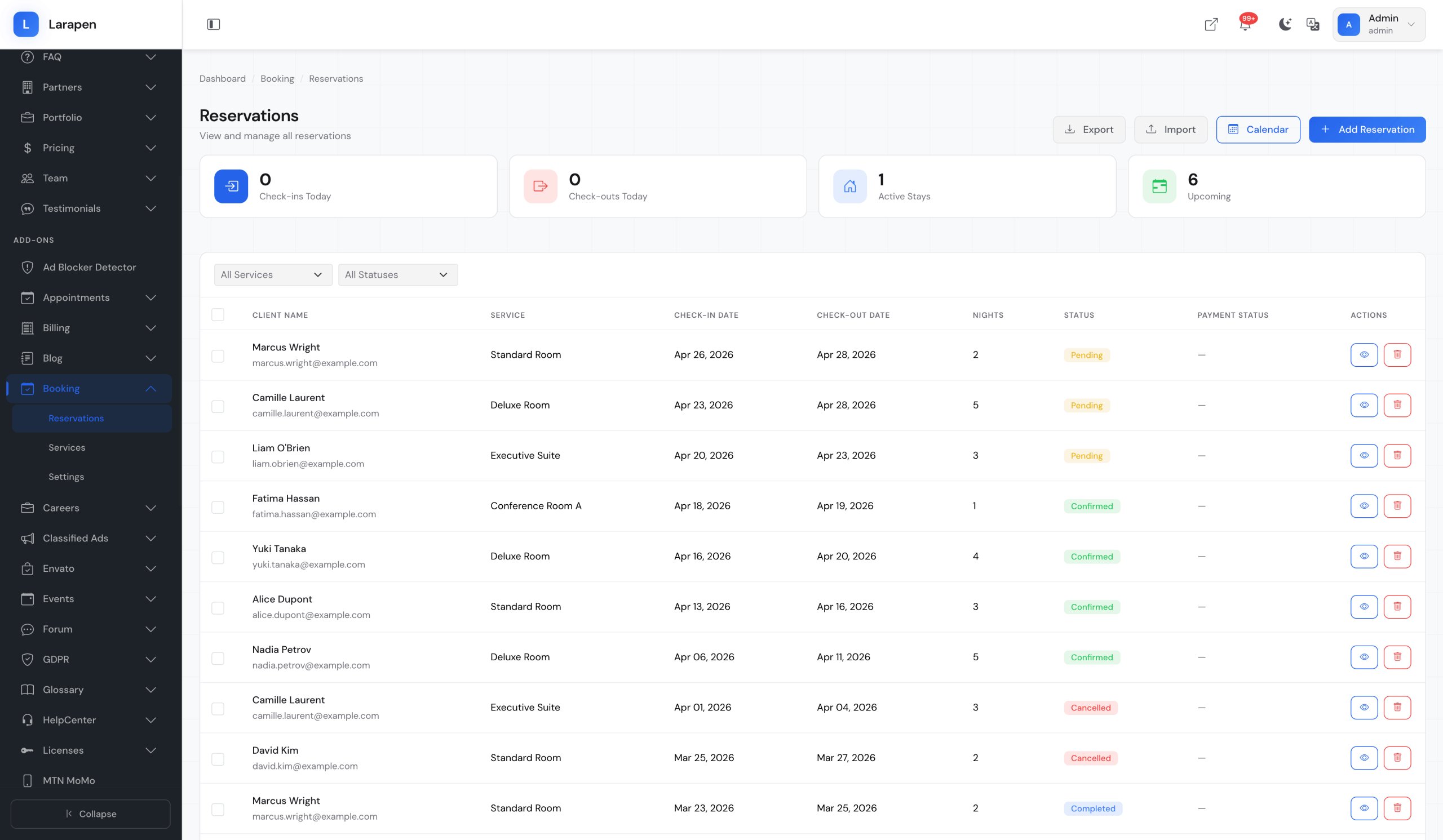
Some screenshots of the Booking add-on.
Start Accepting Bookings
Set up your booking system in just a few steps.
Install & Activate
Upload the Booking add-on and activate it from the admin panel. All necessary tables and routes are created automatically.
Define Services
Create your list of services with descriptions, durations, and optional pricing. Each service gets its own booking page.
Set Availability
Configure your working hours, break times, and days off. The system only shows available slots to clients.
Receive Bookings
Clients book appointments on your site. You manage everything from the admin calendar dashboard.
Frequently Asked Questions
Get the Booking Add-on Today
Let clients book appointments online and streamline your scheduling workflow.