

Site Statistics Add-on
Built-in analytics for your Larapen platform. Track page views, visitors, traffic sources, and device breakdowns without sending data to third-party services.
Your Analytics, Your Data, Your Server
Most analytics tools send your visitor data to external servers owned by ad-tech companies. The Larapen Stats add-on takes a different approach: all data stays on your own server. You get the insights you need: page views, unique visitors, traffic sources, popular content, and device breakdowns; without giving away your audience data to third parties. No tracking cookies, no cross-site tracking, no consent banner required in most jurisdictions. Just clean, useful metrics stored in your own database.
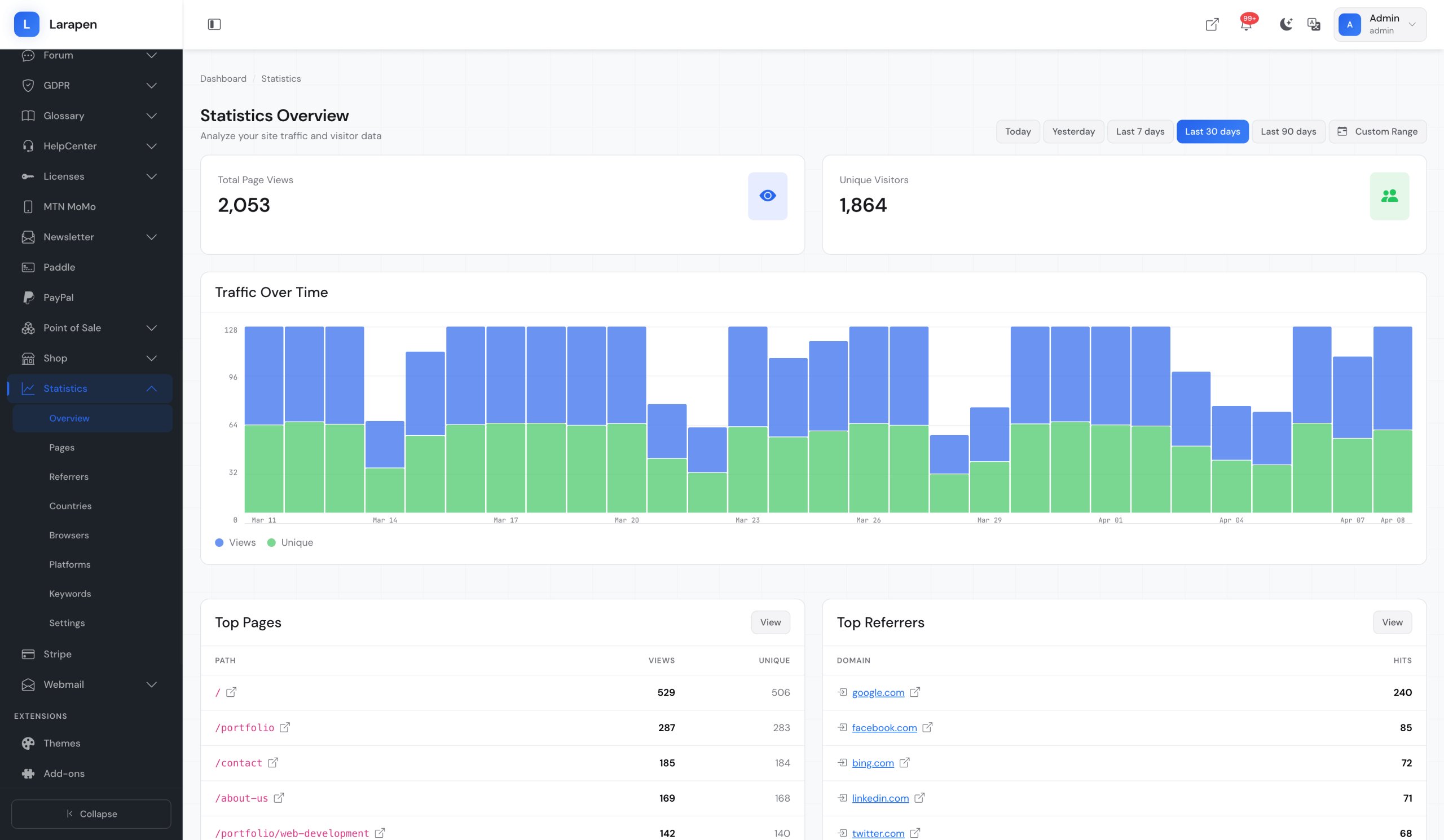
Clear Dashboards, Actionable Insights
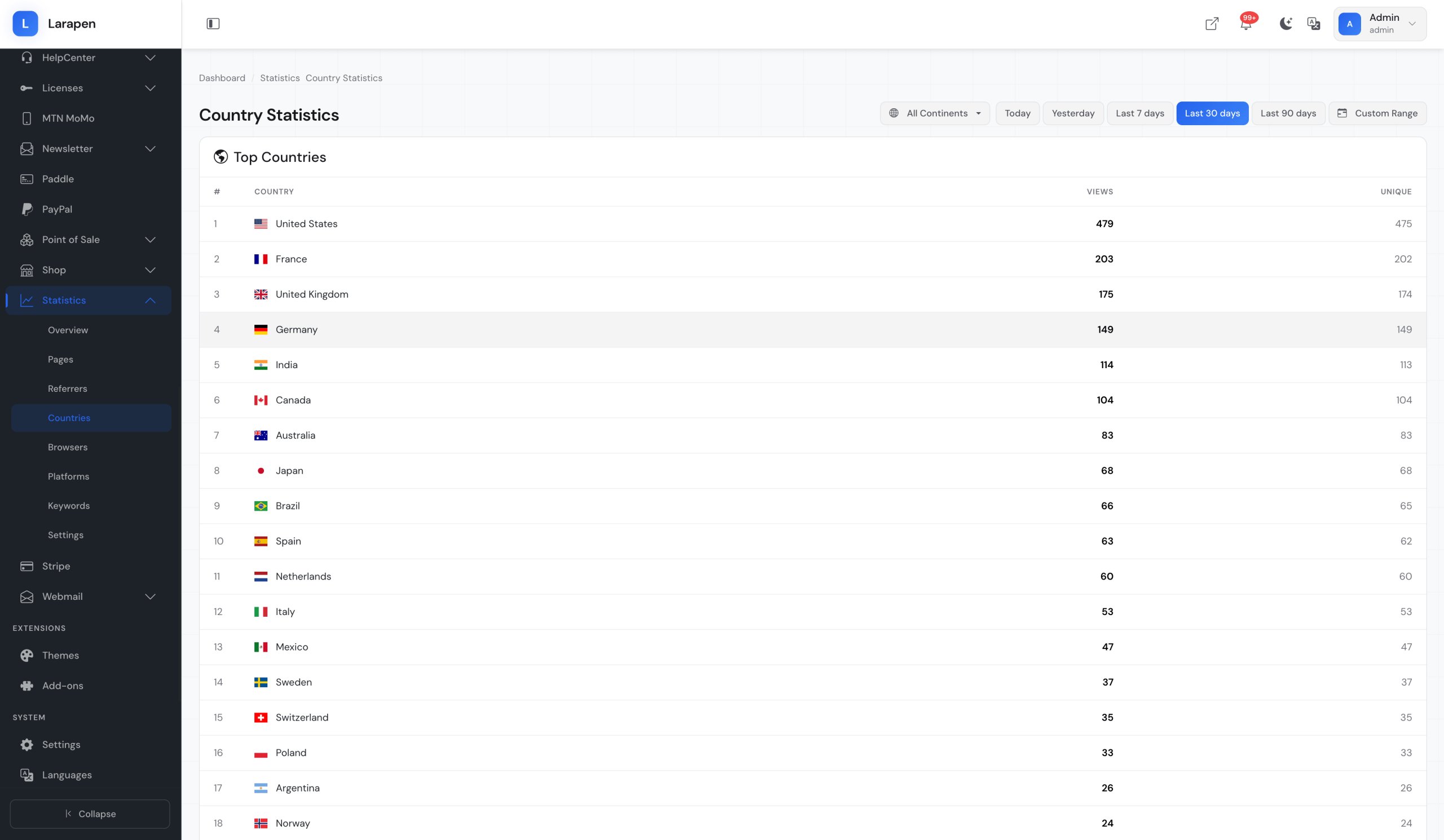
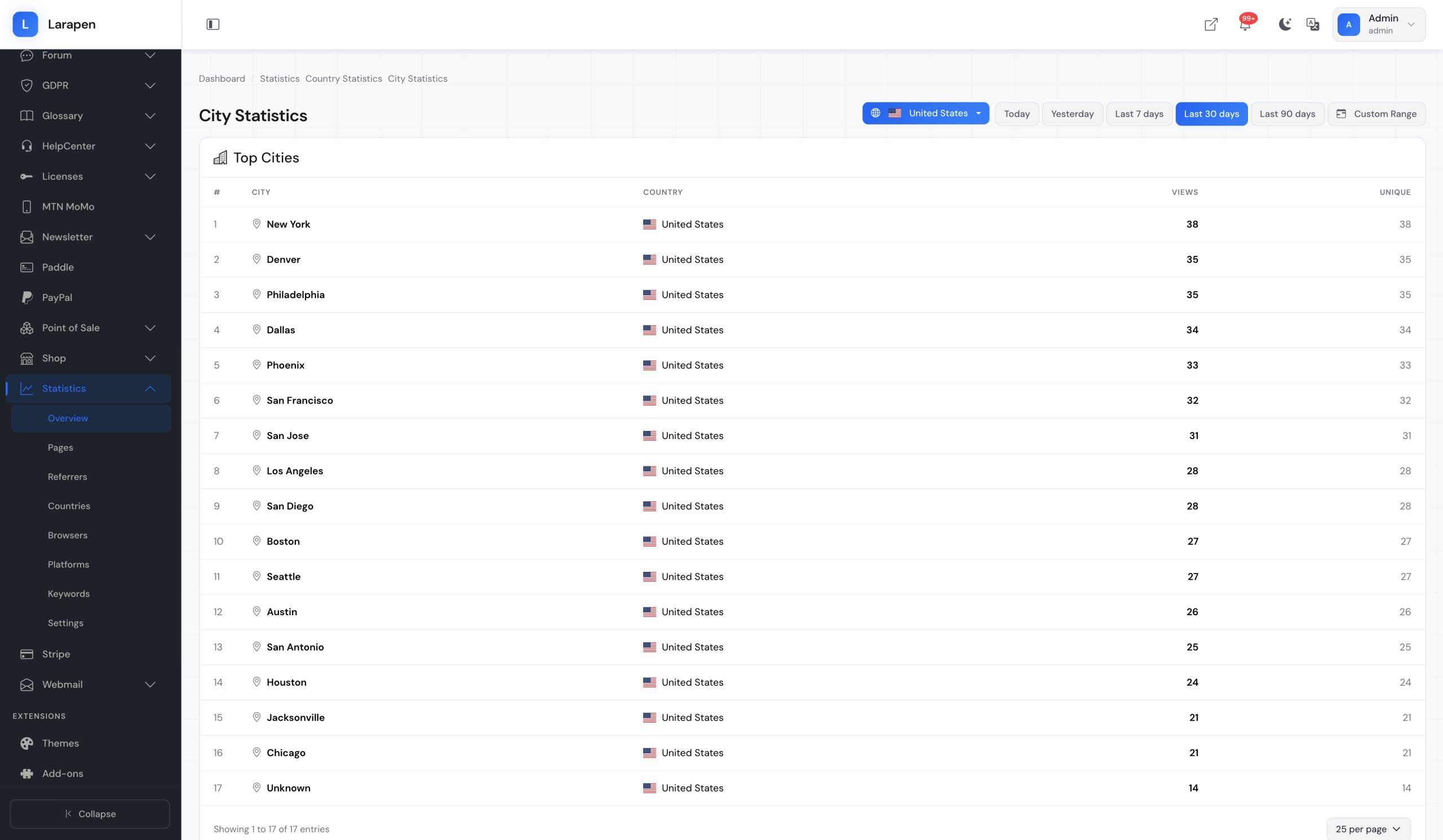
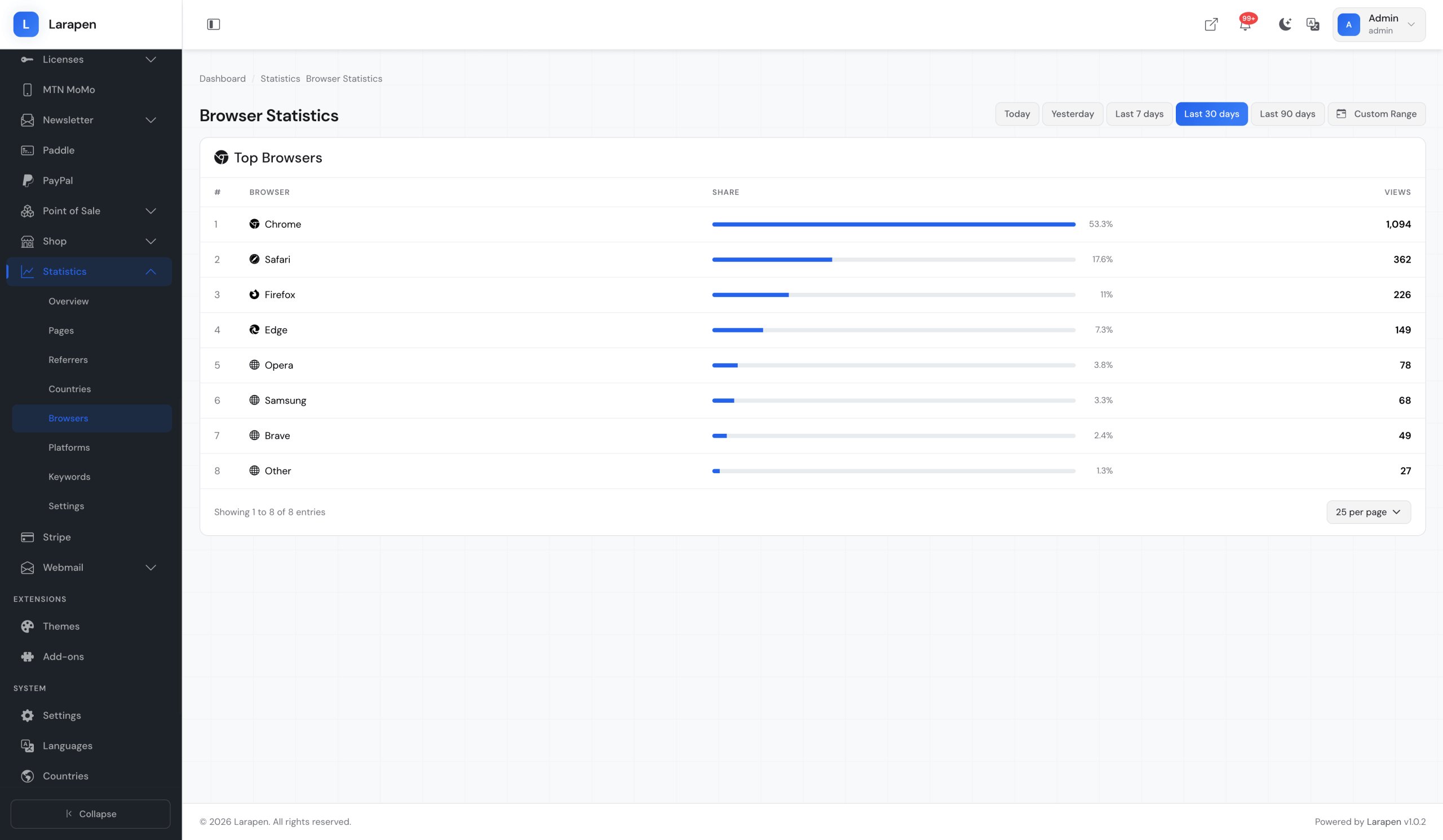
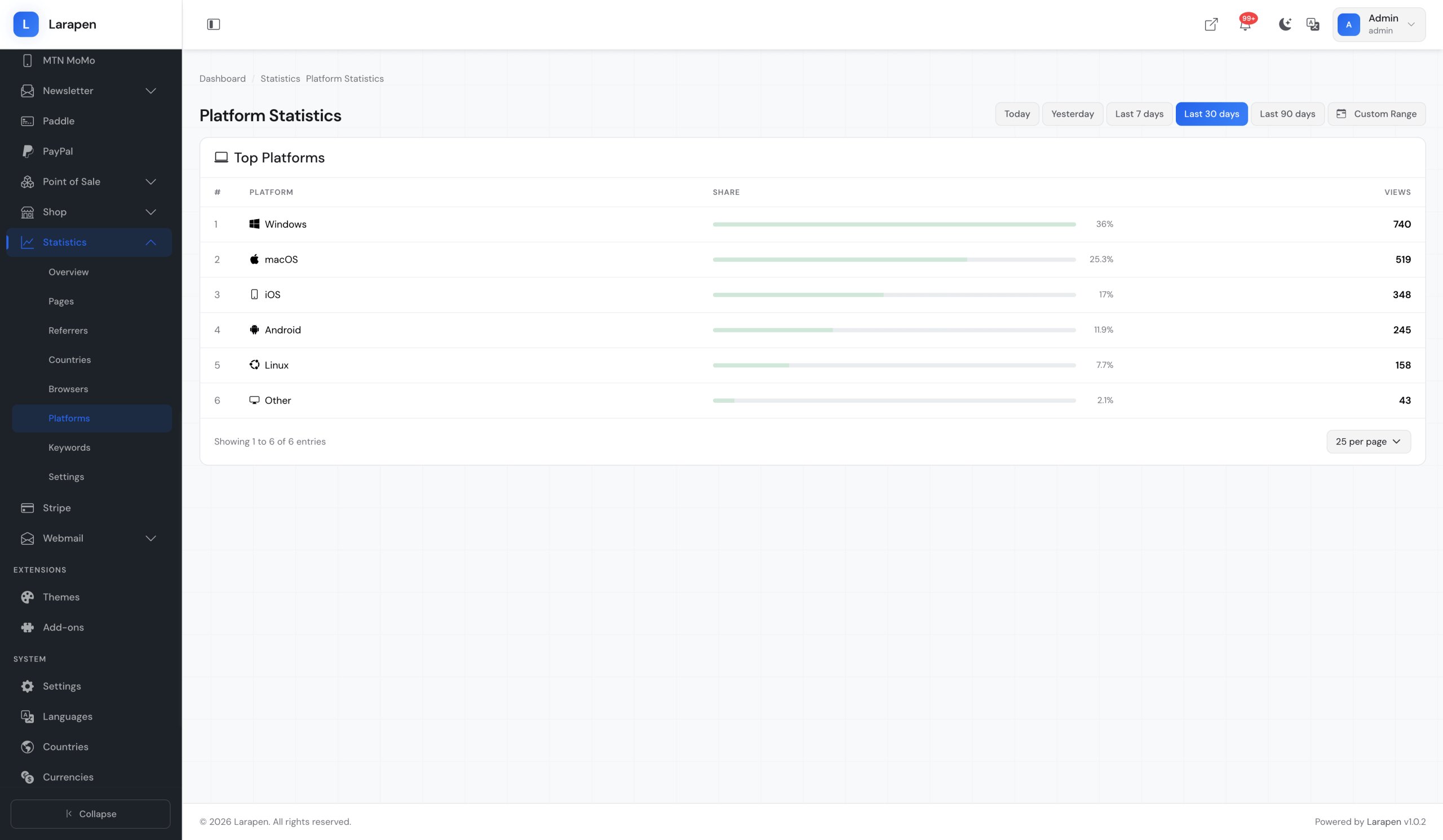
The admin dashboard presents your traffic data through clean, interactive charts and tables. See trends over time, identify your most popular pages, understand where your visitors come from (referrers, search engines, direct traffic), and learn which devices and browsers they use. Filter by date range, compare periods, and export raw data as CSV for further analysis. Everything loads fast because the data is local; no API calls to external services.
Analytics That Respect Privacy
We provide comprehensive services to help your business thrive in the digital world.
Page View Tracking
Track page views across your entire site with lightweight, non-blocking JavaScript. See which pages get the most traffic, how long visitors stay, and which content performs best.
Visitor Analytics
Distinguish unique visitors from repeat visits using privacy-friendly fingerprinting (no cookies). Track new vs. returning visitors and understand your audience growth over time.
Traffic Sources
Identify where your visitors come from: search engines, social media, referral links, or direct visits. Understand which marketing channels drive the most traffic to your site.
Device & Browser Breakdown
See which devices (desktop, mobile, tablet), operating systems, and browsers your visitors use. Optimize your site for the platforms that matter most to your audience.
Interactive Charts
Visual dashboards with line charts, bar charts, and pie charts for traffic trends, top pages, referrer distribution, and device breakdowns. Filter by date range and compare periods.
CSV Export
Export any report as CSV for offline analysis, client reporting, or integration with spreadsheet tools. Choose the date range and data dimensions to include in your export.
Privacy-Friendly
No cookies, no cross-site tracking, no personal data collection. IP addresses are anonymized. In most jurisdictions, no cookie consent banner is needed since no tracking cookies are used.
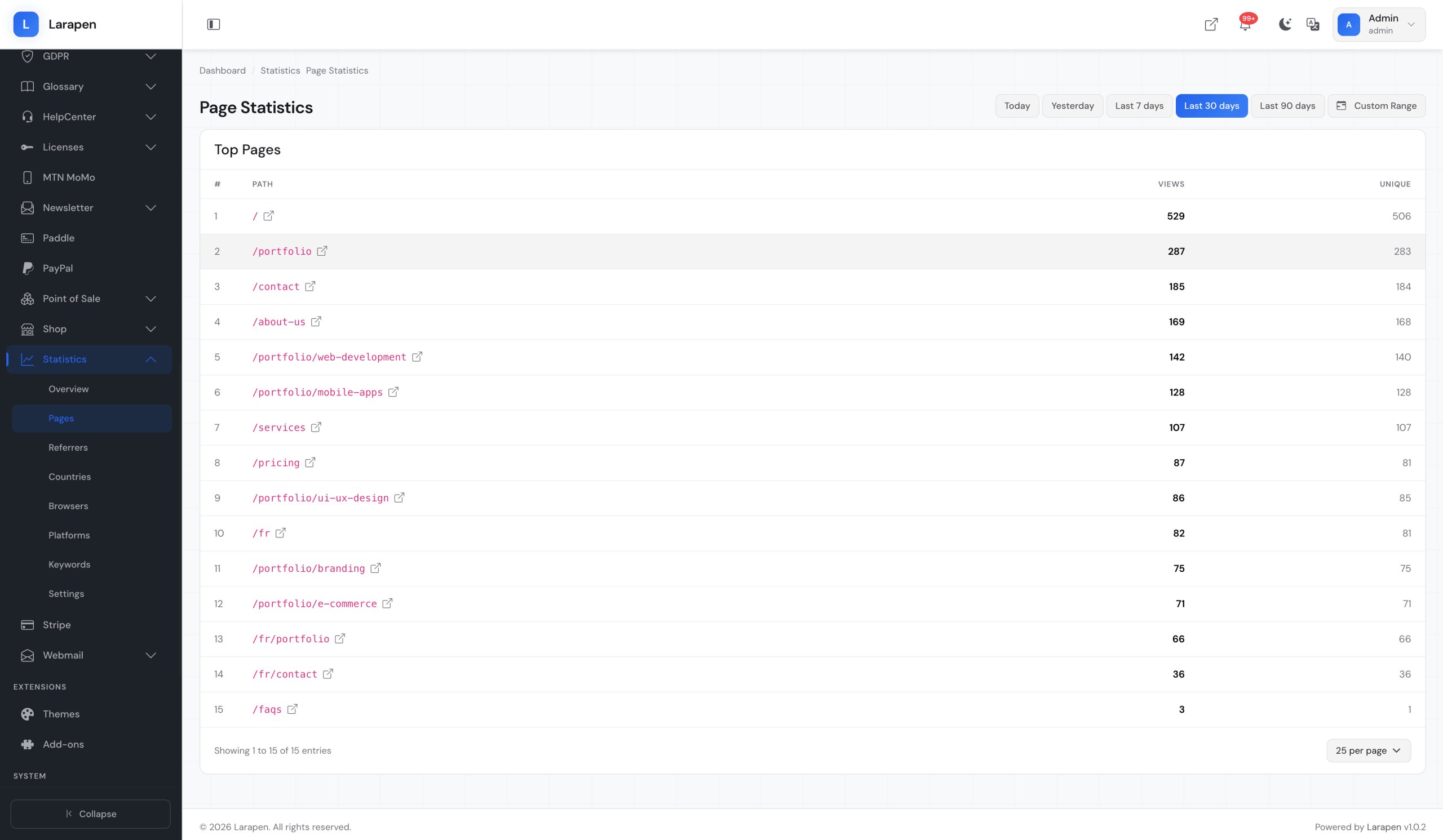
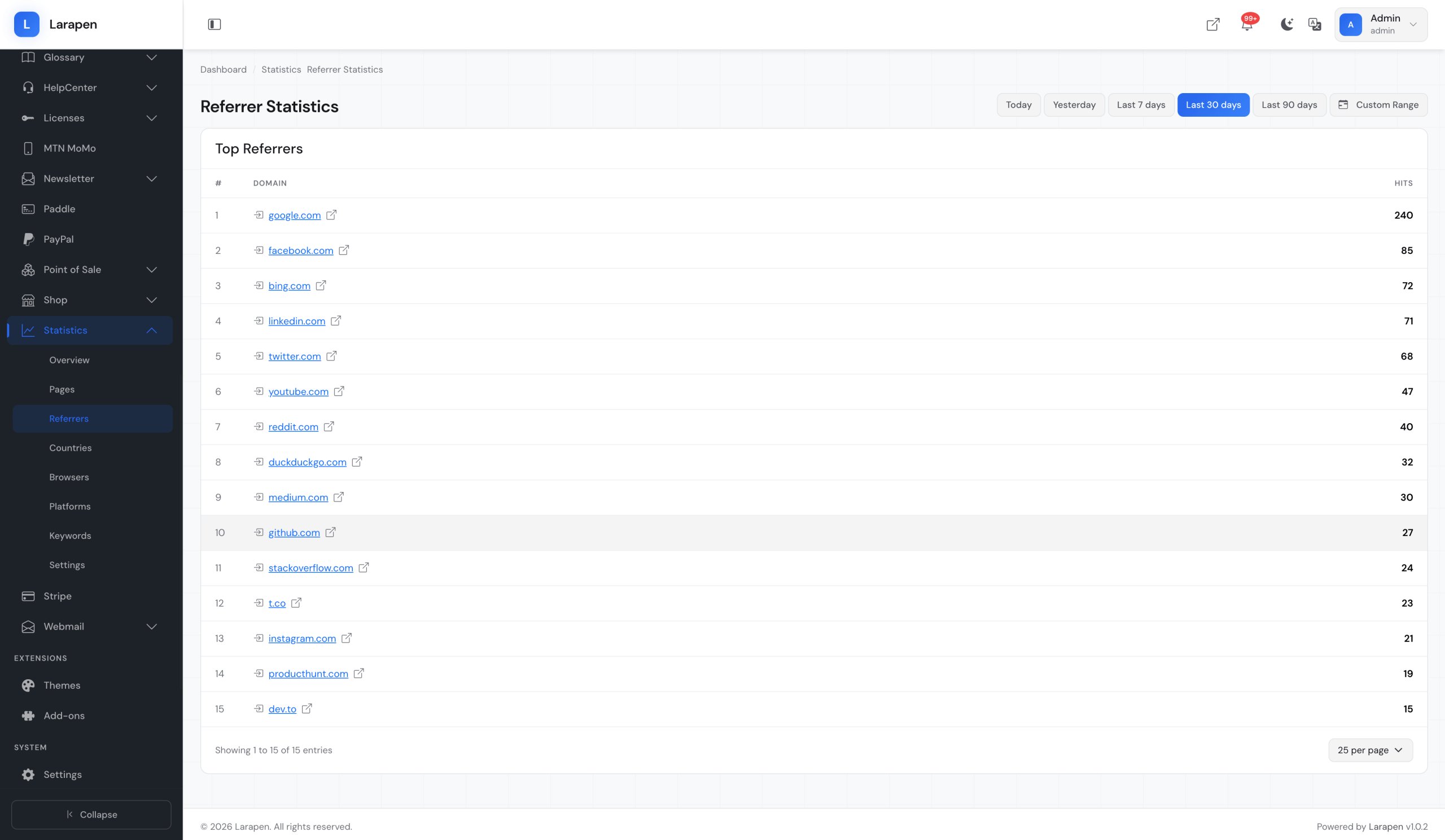
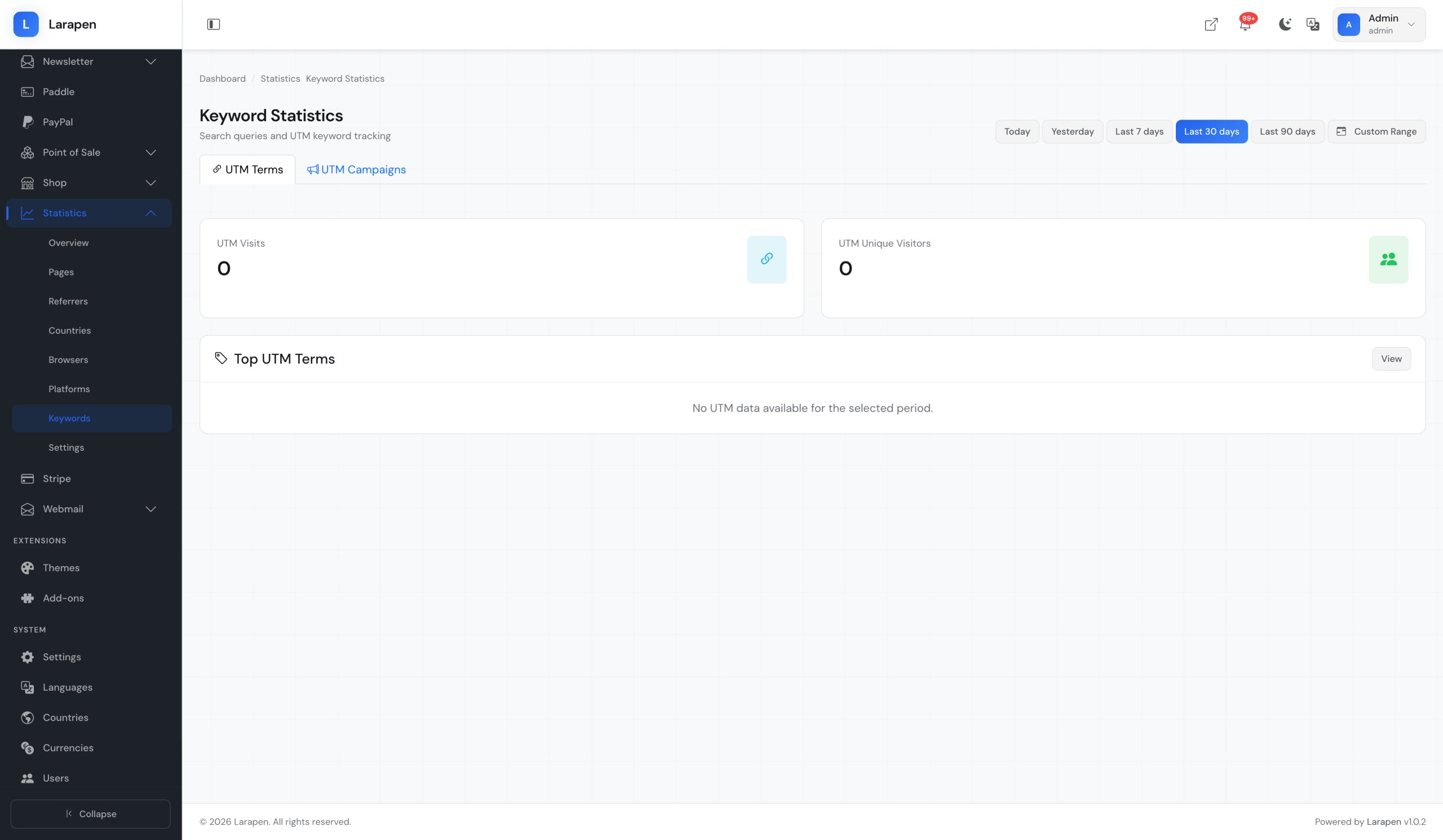
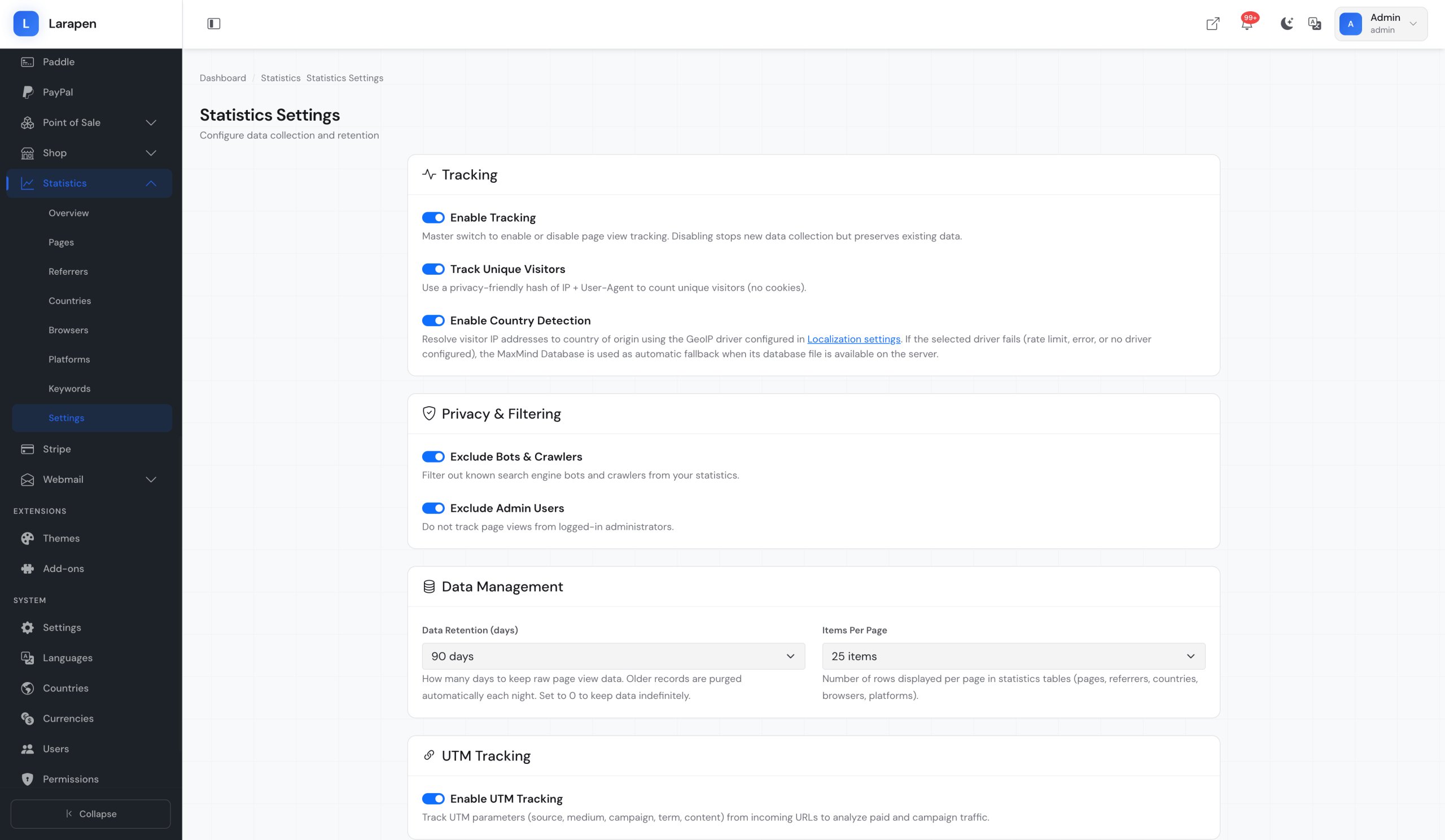
Screenshots
Some screenshots of the statistics add-on.
How It Works
Activate the Add-on
Install and activate the Stats add-on from your admin panel. The tracking script is automatically injected into your site; no manual code changes needed.
Data Starts Flowing
As visitors browse your site, page views, referrers, and device information are recorded in your database. Data is available in the dashboard within seconds of each visit.
Analyze and Act
Open the Stats dashboard to explore your traffic data. Identify trends, spot your best-performing content, and make data-driven decisions. Export reports as CSV for sharing or deeper analysis.
Frequently Asked Questions
Ready to Understand Your Audience?
Get privacy-friendly analytics without depending on third-party services. Install the Stats add-on and start making data-driven decisions today.